A better way to create bash and zsh scripts
You name the script, pick bash or zsh, and list the options and any positional arguments.
The zip parses the flags, checks the values, writes the help, and includes an installer.
An agent can do the same at the MCP endpoint.


The zip is the whole program
Same checks, same names, and the same helpers, every time you build a script.
Simple form
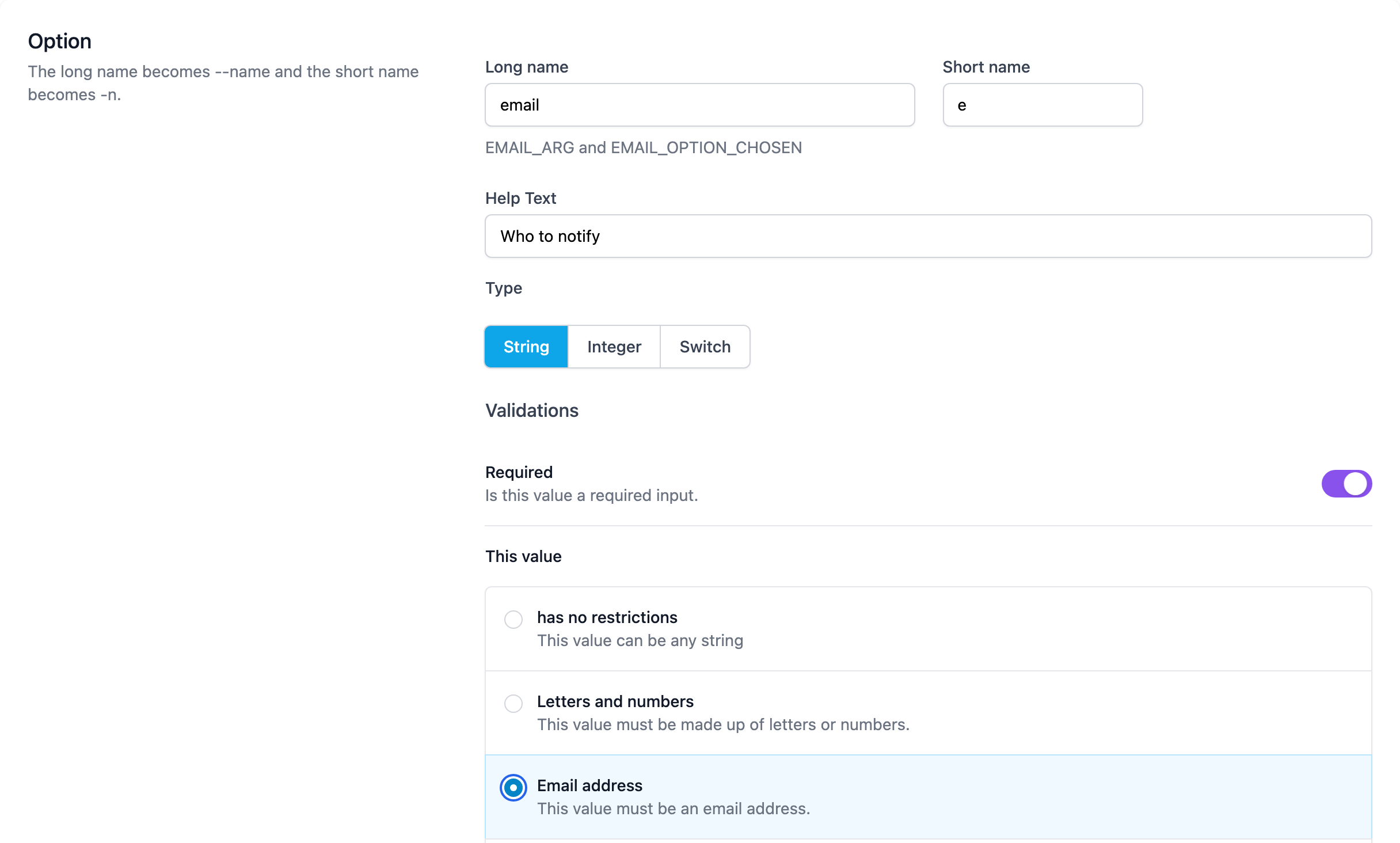
Name the script. Pick bash or zsh. Add each option with a long name, an optional short name, and one line of help. Add positional arguments when a value is not a flag.
One shell
One script is one shell. The person who runs it does not install a flag library. Your code starts only after the checks pass.
Real checks
An option is a string, an integer, or a switch. A string or an integer can be required. A string can be an email, a URL, letters and numbers, a UUID, a host, a port, or a date. It can have a length, a list of choices, or a path that must be a file or a directory. An integer can have a lower bound and an upper bound.
Installer
The zip includes an installer and an uninstaller. They are bash, even when the script is zsh. Files land in $HOME/.lickety-script.
Same names
Every script uses the same pattern. A value is NAME_ARG. NAME_OPTION_CHOSEN is 1 when the option was present. One positional is NAME_ARG. A repeating positional is NAME_ARGS and NAME_ARG_COUNT. A bad value stops the script before your code runs.
Shared functions
The shared functions ship in the zip. Names start with a dot. .die, .need, .trim, .tmpdir, and .sha256 are included. The readme in the zip lists the rest.